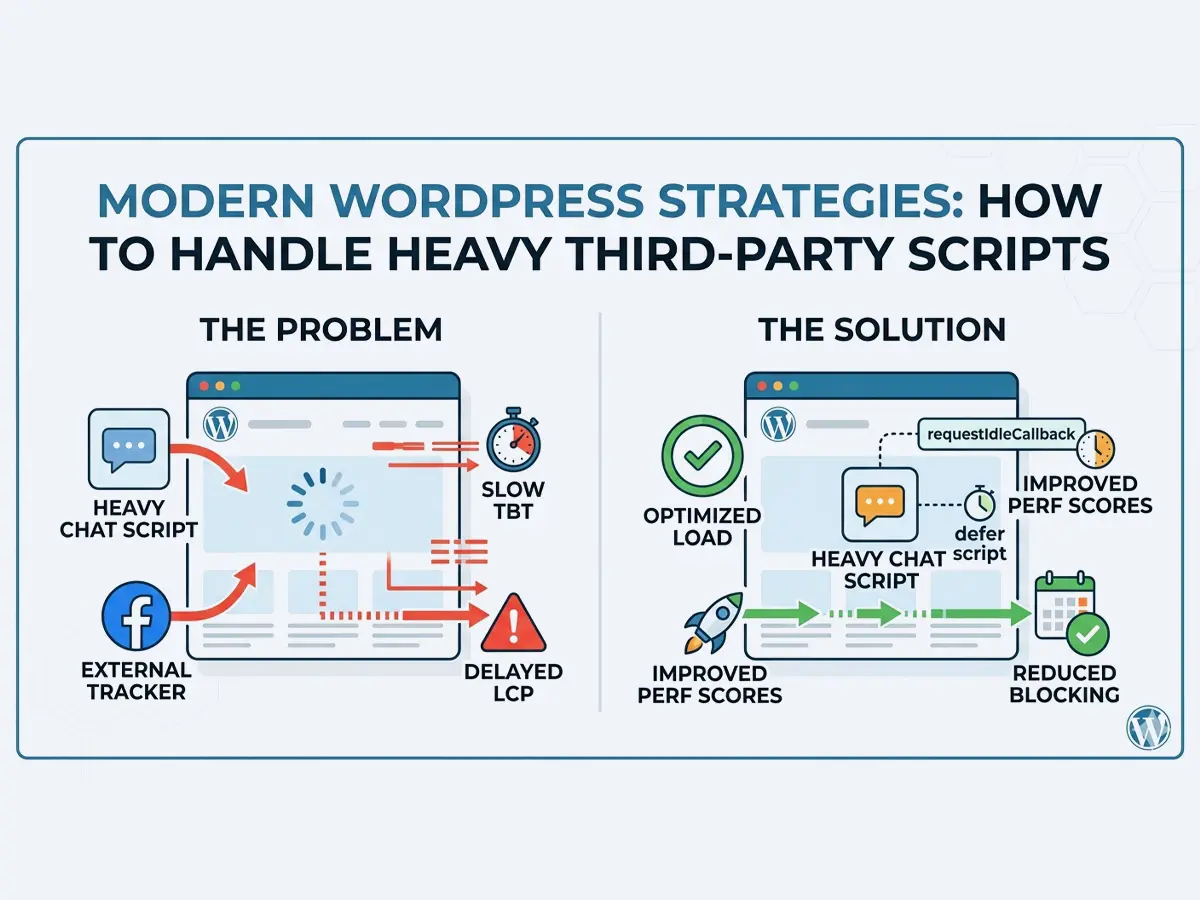
Building a fast WordPress site is often a game of many small wins: especially when it comes to third party scripts. We all love the functionality that a live chat brings to our users: but we often hate what it does to our PageSpeed scores.
After more than a decade of building on this platform: I have seen many ways to handle this. Here is how you can take a standard chat widget and move it from a performance bottleneck to a background task.
The First Step: Modern WordPress Loading
Most chat scripts tell you to paste a snippet into your header. Of course we all know to add parameter for loading it in footer but we should be more refined. The first level of optimization is using wp_register_script with the modern strategy and fetchpriority arguments (introduced in WordPress 6.3).
By setting the strategy to defer: you tell the browser to download the script in the background and only execute it after the HTML is fully parsed. Adding fetchpriority => low signals that this chat widget is not as important as your hero image or main content. Example code for this coud look like this:
wp_register_script(
			'chat-widget',
			plugin_dir_url( __DIR__ ) . 'assets/chat-widget/chat-widget.min.js',
			array(),
			filemtime( plugin_dir_path( __DIR__ ) . 'assets/chat-widget/chat-widget.min.js' ),
			array(
				'in_footer'     => true,
				'strategy'      => 'defer',
				'fetchpriority' => 'low',
			)
		);
Chat JavaScrip (chat-widget.min.js) itself is something generated by provider and can be like this:
// Imaginary Chat Loader
!function(c,h,a,t){ /* loader logic here */ }(window,document);

window.ChatWidget( 'init', 'MY_ACCOUNT_ID' )
After the script is registered like this we can then enqueue it where needed, globally or by using conditional logic bound to some specific block or maybe to set of pages or post type where it needs to be loaded.
if ( $condition ) {
	wp_enqueue_script( 'chat-widget' );
}
This is a great start: but we can do better. Even with these settings: the browser still spends precious CPU cycles executing that script while the user is trying to read your content.
Level Two: Idle Time and Interaction
The real secret to a snappy site is waiting for the right moment. Instead of loading the chat immediately: we can wait until the browser is truly “bored” using requestIdleCallback.
In this improved version of JavaScript: we wrap our initialization in a function that only fires when the main thread is quiet. I often add Timeout of 2000ms as well: just to make sure that it will be executed because in an edge case browser may not reach idle time. For browsers that do not support requestIdleCallback there is a fallback with setTimeout of 2500ms.
Here is what that logic looks like in practice:
/* global requestIdleCallback */
( function () {
    'use strict';

    const initChat = function () {
        if ( window.my_chat_initialized ) {
			return;
		}

        // Imaginary Chat Loader
        !function(c,h,a,t){ /* loader logic here */ }(window,document);

        window.ChatWidget( 'init', 'MY_ACCOUNT_ID' );
        window.my_chat_initialized = true;
    };

    window.addEventListener( 'load', function () {
        if ( 'requestIdleCallback' in window ) {
            // Wait for idle: but force it after 2 seconds if needed
            requestIdleCallback( function () {
                initChat();
            }, { timeout: 2000 } );
        } else {
            // Fallback for browsers without idle support
            setTimeout( initChat, 2500 );
        }
    } );
} )();
Why This Works
By delaying the initialization you ensure that your Largest Contentful Paint (LCP) and Total Blocking Time (TBT) stay low. Your users get to see your content faster and the chat bubble appears quietly once everything else is ready.
It is a simple shift in thinking: treat third party scripts as guests that should arrive only when the host is ready to receive them. Your performance scores and visitors will thank you for it.