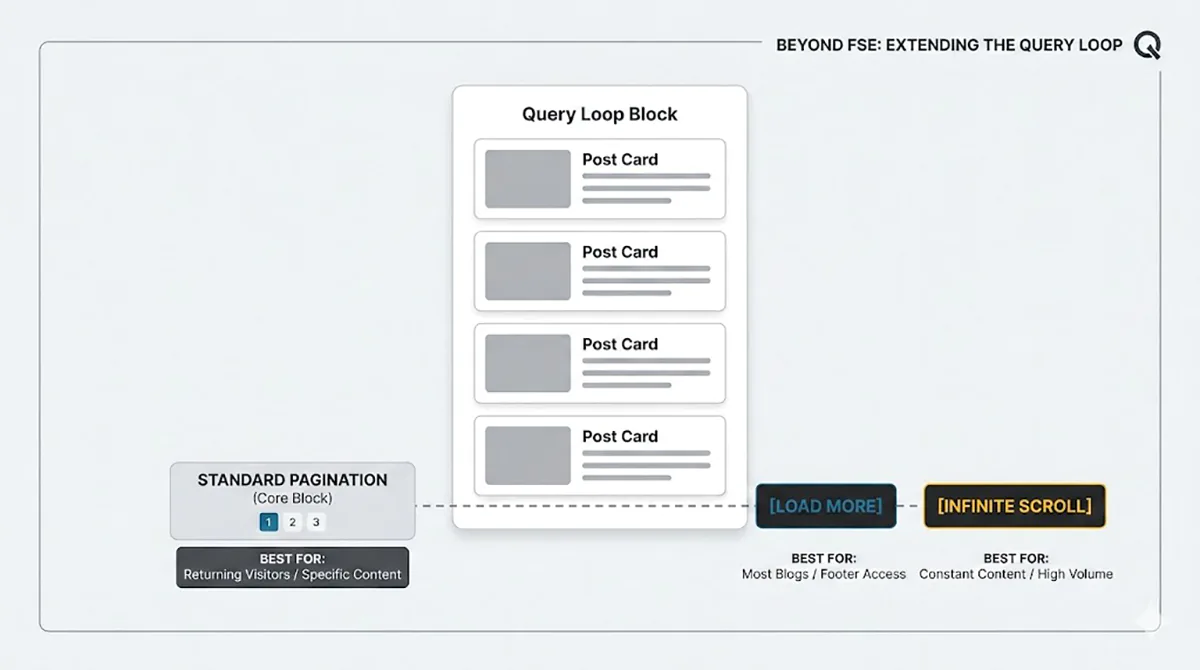
I never thought about it too deeply before, but when you really look at it, the choice actually depends on the type of content you are serving to your visitors.
If your content is engaging and you have returning visitors, they probably want some control. They want to be able to tap on a specific page number where they remember finding something interesting or to simply pick up from where they left off. On the other hand, if you are constantly piling up new content for different visitors, it is probably better to keep them in the loop with infinite scrolling.
For most blogs today, a “Load More” button is the golden standard. It gives you a fixed amount of posts but still keeps the footer accessible. Users can actually spot the footer and interact with it, rather than constantly “chasing” it down the page as new posts load automatically.
The problem is that the default WordPress Pagination block doesn’t give you much of a choice beyond standard links. However, there is a workaround that doesn’t require any custom development. I am a big fan of using tiny, specialized plugins that work right out of the box to handle one specific thing.
If you want to boost the core pagination block and configure it to use “Load More” or “Infinite Scrolling,” just use the Query Loop Load More plugin by Automattic Special Projects. It does exactly that without any bloat by extending functionality of core Pagination block, just amazing 👏. An interesting thing to note is that while this plugin is available on wordpress.org, it is also offered for FREE on the WordPress.com Business plan.
And while we are at it, what is your preferred choice for blog pagination?